Guide
Using Rowbuy with this Spreadsheet, account first and doorstep last
Seven steps on rowbuy.com, from creating an account to signing for the parcel, with screenshots of every public page involved.
This walk-through follows the order of screens on rowbuy.com in October 2026. Steps that need a login are described from Rowbuy's help centre, where the 14 articles are text only; the public pages carry our screenshots, dated. The signed-in steps carry illustrations we drew from those articles and Rowbuy's published prices; each one is labelled as an illustration. For the money and time at each step, the six stop pages go deeper.
Create the account
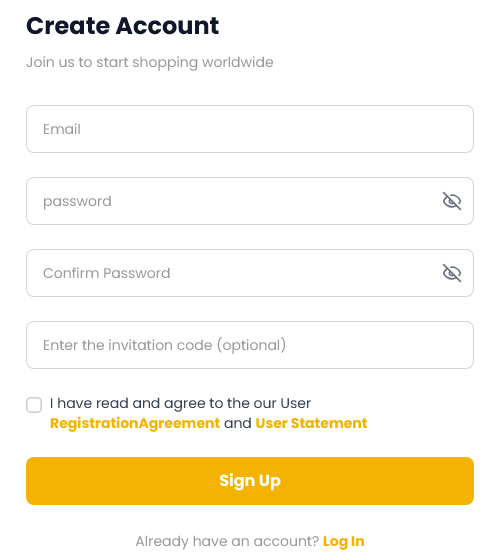
Open the Rowbuy register page. The form wants an email address and a password, entered twice, plus an optional invitation code. There is no Chinese phone number to supply. You can also sign in with Google, Facebook, LINE or Discord.
Two links under the form, the registration agreement and the user statement, point to "#" in the page code read on 22 October 2026, so there is no text behind them. Rowbuy's help article 7790 says a bundle of new-user shipping coupons lands in the account straight away; it does not say how much they are worth. The coupons apply to freight, so you will meet them at stop E.
Find the listing and paste it
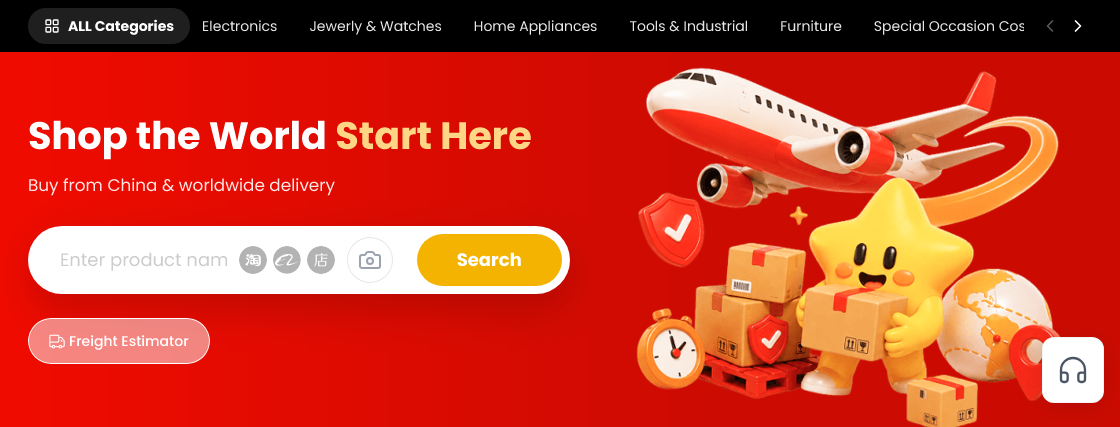
Pick a listing from the shelves, copy the marketplace address (Taobao, Weidian or 1688) and drop it into the long search field across the top of rowbuy.com. Rowbuy loads the listing; you set the colour, the size and how many, then put it in your cart. No link? The camera icon in the same bar takes a screenshot and looks for the original listing.
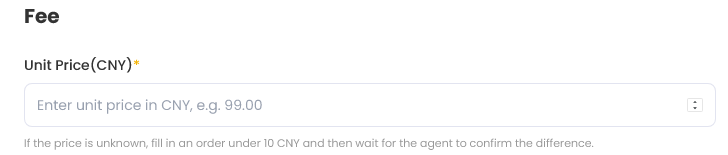
For links from other Chinese shops, Rowbuy has a Fill&buy form at rowbuy.com/orderPlacement. You type the product name, options, unit price in yuan and the seller's delivery fee yourself. When you cannot see a price, the form says to enter an amount under CNY 10 and let the agent tell you the difference.
Settle the goods side of the bill
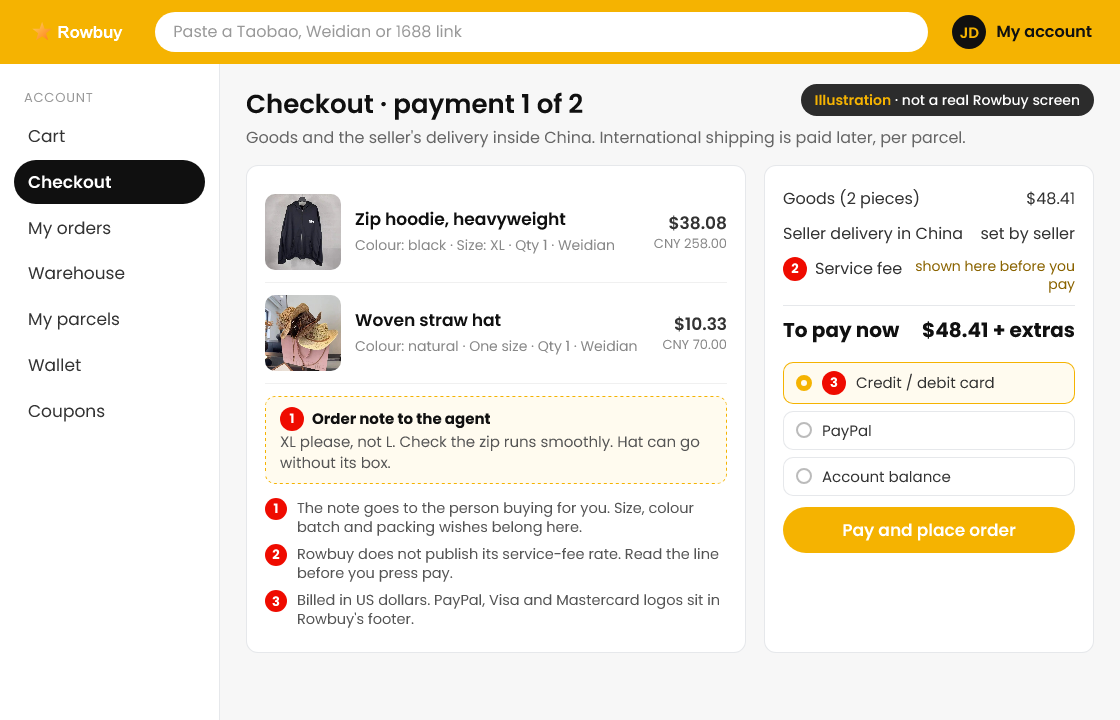
Submitting the order triggers payment one: the goods plus the seller's delivery inside China, billed in US dollars by card or another method shown at checkout. Rowbuy then places the order with the seller and the piece travels to its warehouse. Each piece has its own status in your orders list.
Check the order note field before paying. If you need something specific, such as no shoe box or a particular colour batch, write it there in plain English; the agent reads it when buying.
Check the photos
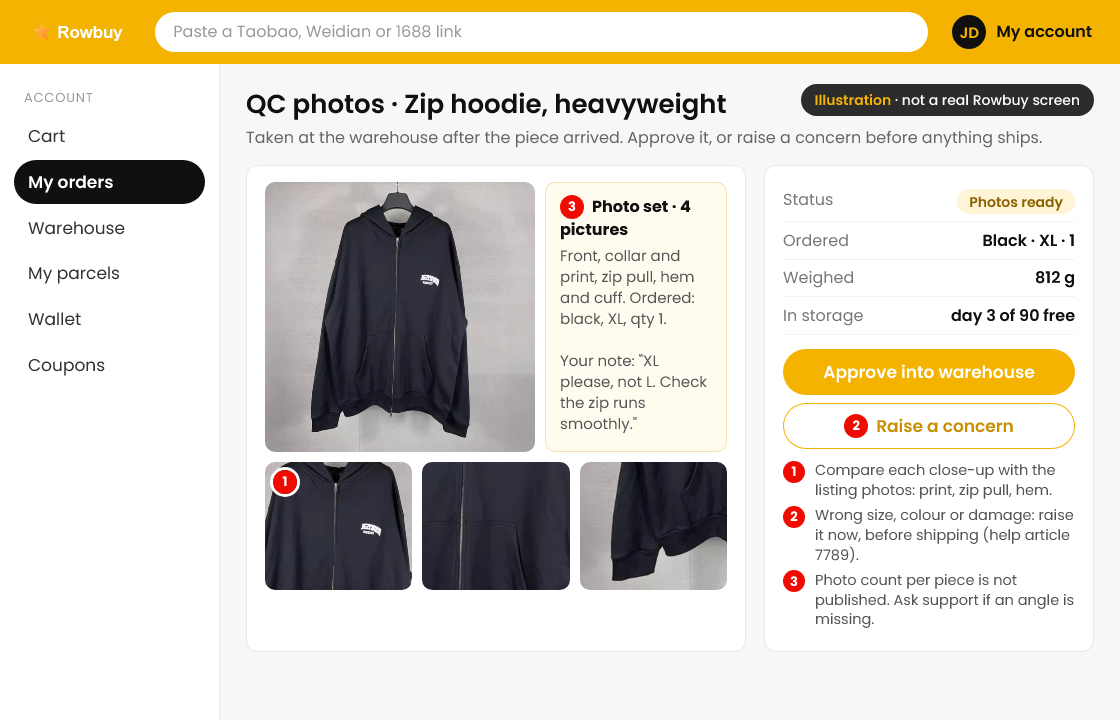
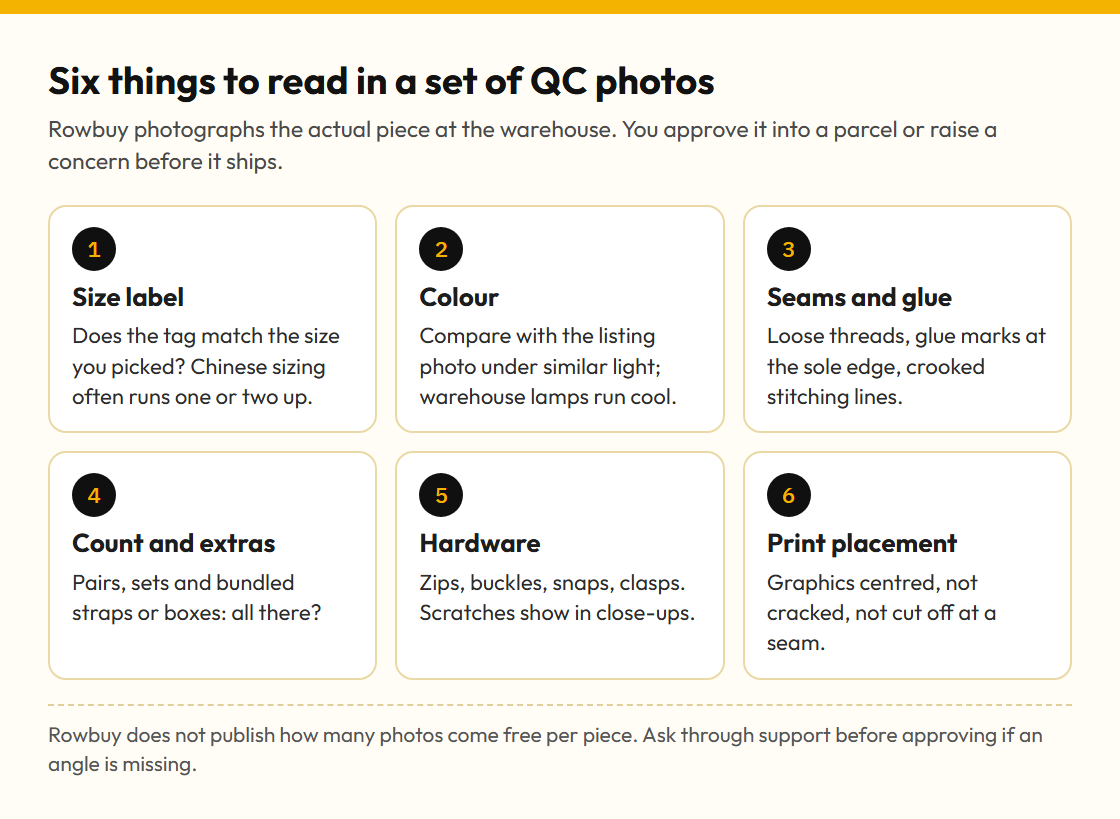
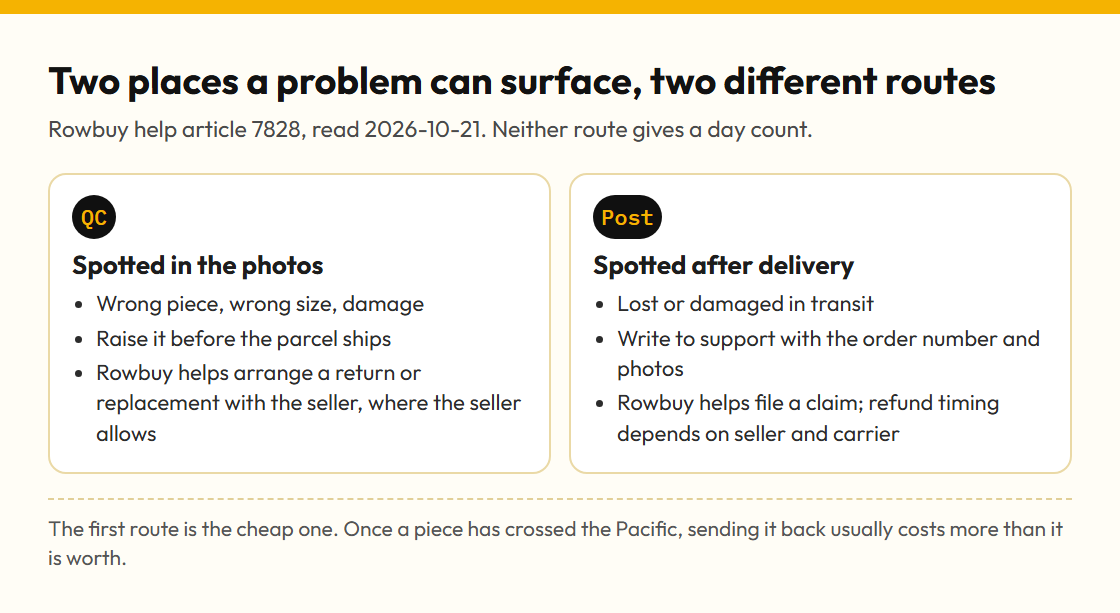
Once the piece is logged at the warehouse, Rowbuy takes photos of it and sends you a notice. Open the photos in your account, compare them with the listing and your size chart, then approve the piece into a parcel or raise a concern. Help article 7789 is clear that this is the moment to stop a wrong size, colour or a damaged item. The QC page lists what to look for.
Build the parcel
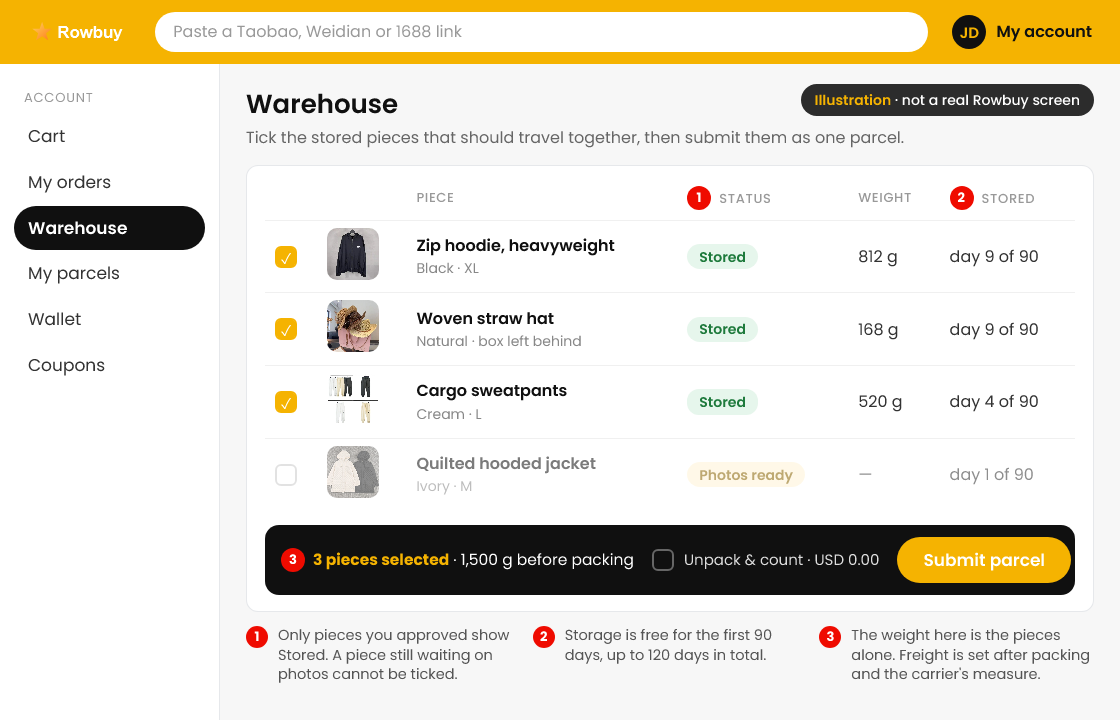
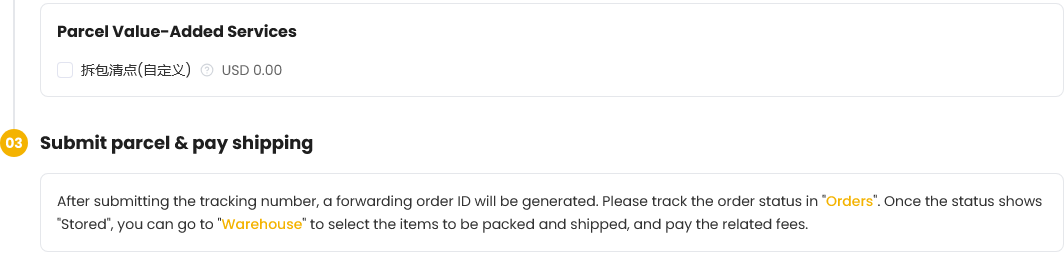
Once pieces are approved and show Stored, go to the warehouse section of the account, tick the pieces you want shipped together and send them off as one parcel. Rowbuy's forwarding page describes the same order of events: a stored item, then selection in Warehouse, then payment. The only extra listed on the public forwarding page is an unpack-and-count option priced at USD 0.00.
Pay for the international line
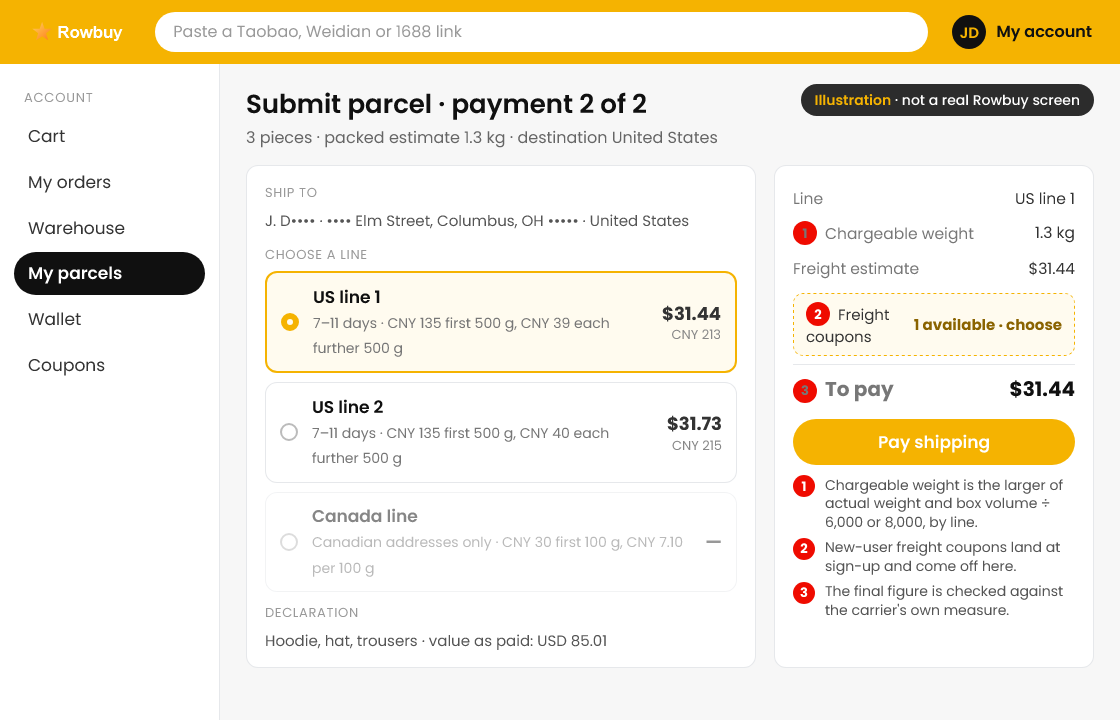
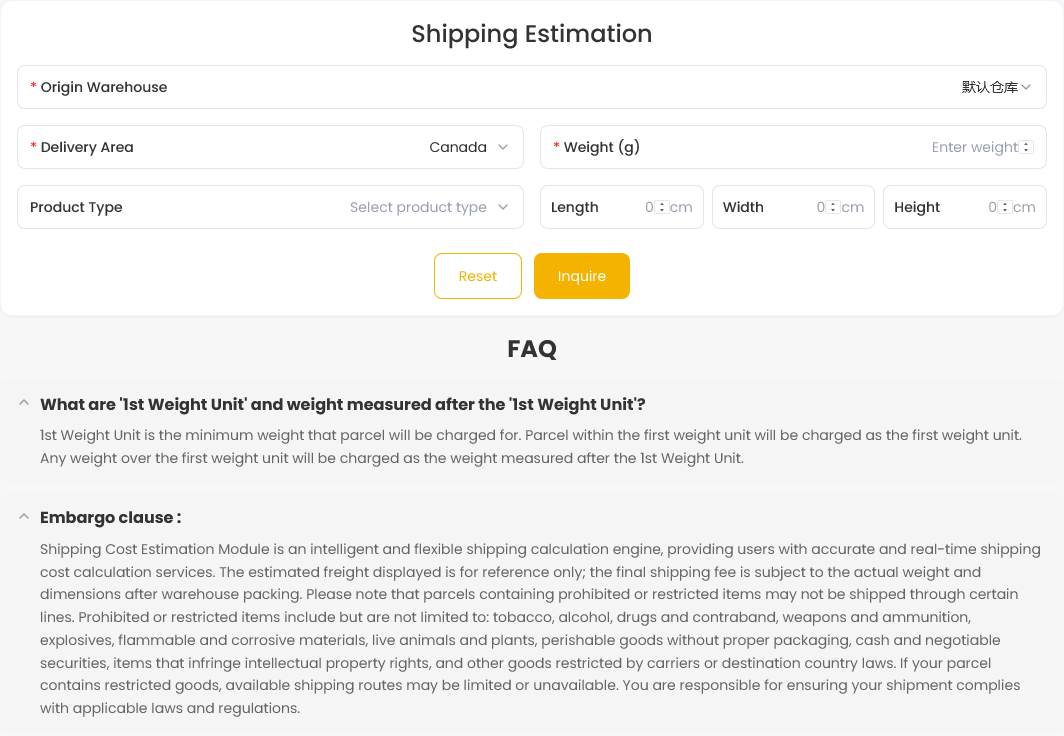
Submitting the parcel triggers payment two. You pick a line (two exist for the US, one for Canada), the fee is worked out from weight, size and line, and the final figure is confirmed against what the carrier measures. Coupons come off here. Use the Rowbuy estimator or our calculator beforehand so the number is no surprise.
Track it and sign for it
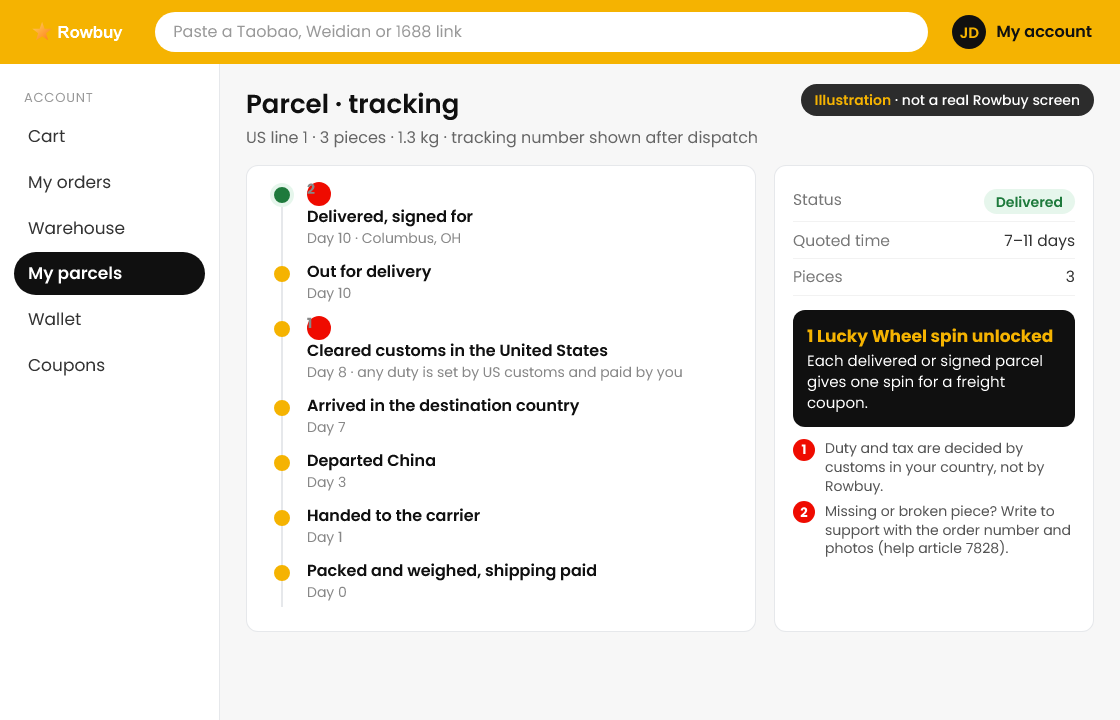
Rowbuy quotes 7 to 11 days for each of its North American lines. The tracking appears in your account after dispatch. Customs in your country decides any duty, and you pay it, not Rowbuy. When the parcel shows Delivered or Signed, your account gets one Lucky Wheel spin for a freight coupon.
Something missing or broken in the box? Write to Rowbuy support with the order number and photos; help article 7828 says they will help file a claim, with timing set by the seller and carrier.
After the first parcel
The second order is quicker, but the same two payments apply. Two habits make it cheaper: let pieces gather in the warehouse inside the 90 free days and ship them as one parcel, and leave bulky packaging behind when the piece survives without it.
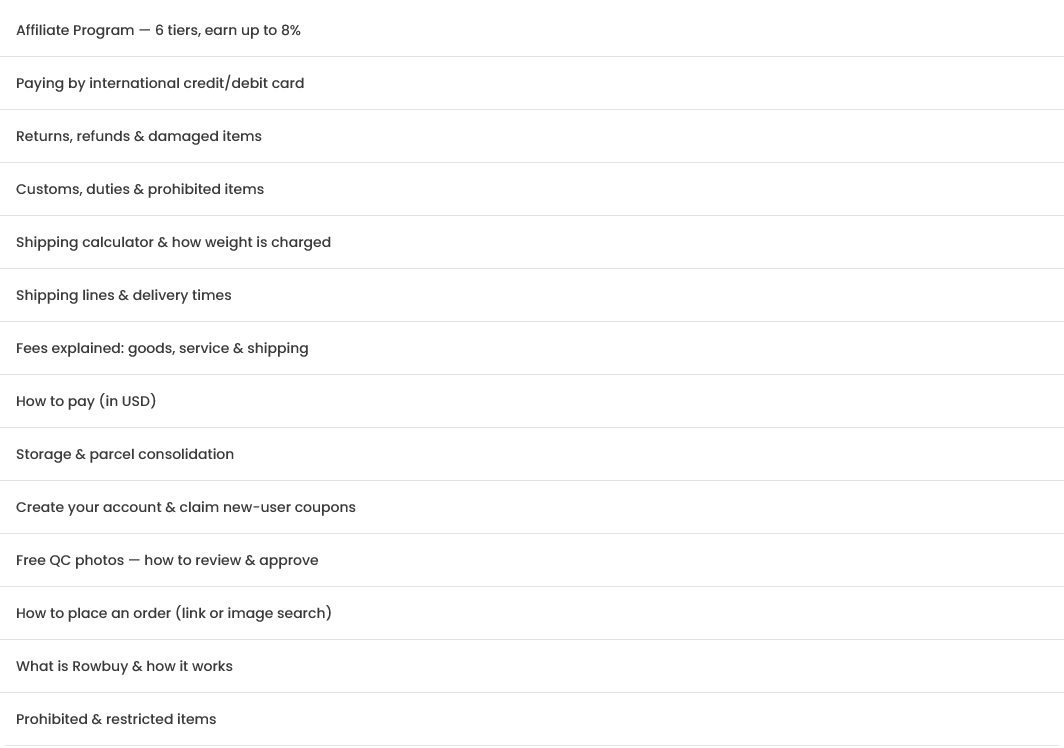
Help centre: rowbuy.com/help-center. Every article on it is listed by title in the picture below.