Stop C of six
Stop C: the photo check, your cheapest chance to say no
The only stop where a wrong piece can still go back without crossing the Pacific.
Where this stop sits in the ledger
- AOrder placedLink, picture search or Fill&buy formPayment one: goods + seller delivery
- BWarehouse inboundOrder status reaches StoredNo charge listed; storage clock starts
- CQC photosYou approve or raise a concernPhotos free; count unpublished
- DParcel builtApproved pieces combined and packedUnpack-and-count option at USD 0.00
- EFreight paidUS or Canada line, checked weightPayment two: international line
- FArrivalTransit, customs, the doorstep7 to 11 days quoted; duties are yours
Stop C. Free photos; you approve or raise a concern.
What the Rowbuy warehouse camera covers
QC stands for quality control. At Rowbuy it means photos of your actual piece, taken at the warehouse after it arrives and before it can go into a parcel. Help article 7789 says the photos are free, that you are notified when they are ready, and that you either approve the piece or raise a concern. The same article adds that if Rowbuy itself spots a problem, it contacts you first.
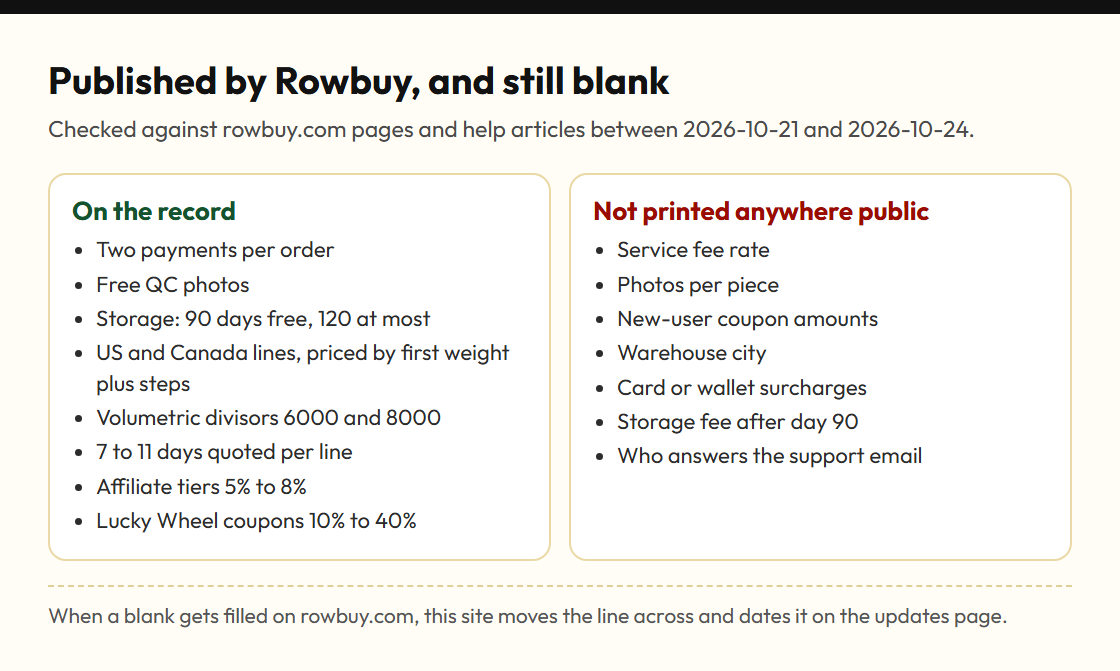
What the articles leave out: how many photos come with each piece, whether measurements are taken, and what extra photos cost. None of that is published. If you need a close-up of a label or a tape measure across the chest, ask for it before approving.
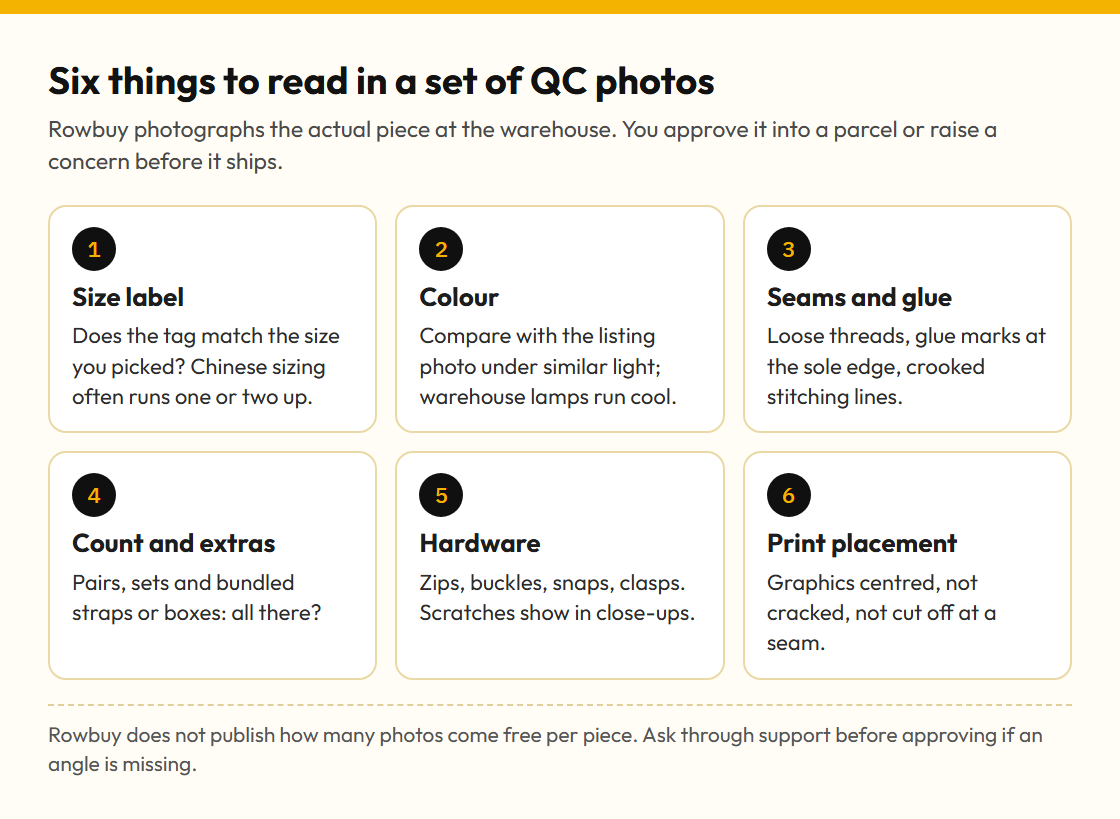
Reading a Rowbuy photo set, label first and print last
This is how to read a set of QC photos so the usual faults get caught. Start with the size label and compare it with what you ordered. Then colour: warehouse lighting runs cool, so compare against the listing in similar light rather than expecting an exact match. Move on to construction (seams, glue lines on shoes, loose threads), then the count (pairs, sets, straps and dust bags that should be there), then hardware such as zips and buckles, then print placement.
If the seller's size chart gave measurements, ask for one key measurement in QC. A chest width that matches the chart within a centimetre or two is a better sign than any amount of photographs from flattering angles.
Forum shorthand near the photo stop
Buyers who post their QC photos online for opinions use two shorthands. GL means green light: the piece looks right, approve it. RL means red light: something is off, raise it. Neither word appears anywhere on rowbuy.com; they belong to buyer forums. Inside Rowbuy the actions are simply approve and raise a concern.
Other words you will meet near this stop: Stored, the status that makes a piece selectable; in hand, a buyer phrase for a piece already photographed at the warehouse; and exchange or return, which at this stop means going back to the seller before anything crosses the sea. The full list is in the glossary.
Raising a concern before the parcel moves
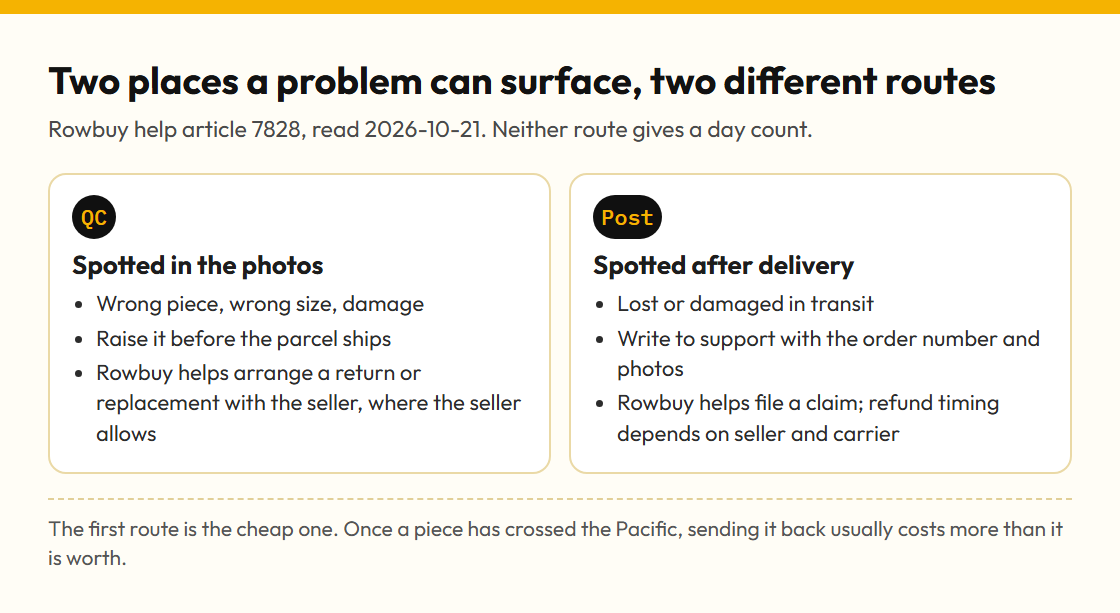
Help article 7828 puts it plainly: if the photos show the wrong piece or a damaged one, raise it before shipping, and Rowbuy will help arrange an exchange or a refund with the shop, so far as the shop agrees. That condition carries weight. Sellers on Taobao and Weidian decide whether they take a piece back, and listings bought through Fill&buy carry Rowbuy's warning that returns are only for quality or seller faults.
Write your concern with specifics: which photo, what is wrong, what you ordered. Vague notes get vague answers. No day count is given for this stage, so the storage clock from stop B keeps running while you wait.
Size checks that photos can settle
Most QC disappointments are size, not quality. Before approving a garment, find a piece you already own that fits the way you want, measure it flat, and compare with the seller's chart. If the chart is missing, ask for a measurement in QC. Shoes are simpler: the foot length in millimetres on the listing is worth more than the size number.